
Introducing Sonar for Outlook

Today, we’re announcing Sonar for Outlook, bringing the world's most accurate Legal AI inside your inbox.
If you work in legal, you know that we use a pretty standard suite of tools: the real work happens in Word, but the work that moves things forward happens in Outlook: internal emails, client updates, negotiations, time-sensitive approvals, and all these small emails that require from you a short and precise confirmation.
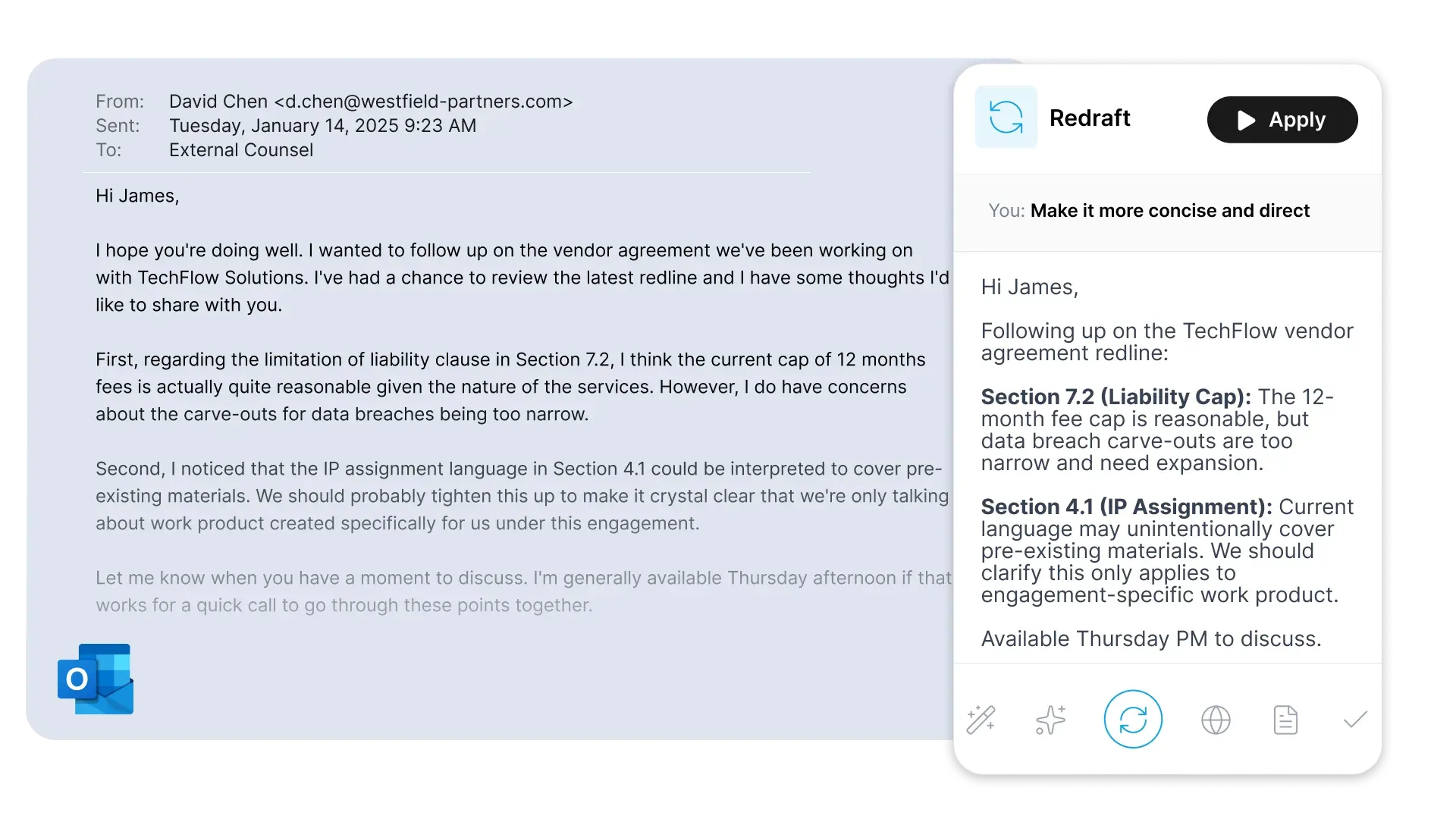
Sonar for Outlook brings the same capabilities you already know from our Word integration. Use the Chat interface to draft replies, summarize emails, or build chronologies. Use our Actions for quick drafts, redrafts, translations, and error checks, and more. Everything you can do in Word with Sonar Legal is now possible in Outlook. And there's more.
Introducing Templates: AI that adapts to your style
Here's the problem with the emails the AI drafts: they all produce the same voice. Polished, sure. Professional, maybe. But generic and robotic. And in legal work, generic doesn't cut it. You don't need a "good enough" email. You need your email: The tone your client expects over years of working together. Or, if you are a junior, the structure your partner prefers.
That’s why Sonar for Outlook introduces Templates. You can now store and manage your own email templates inside Outlook, then have Sonar draft or revise emails using those templates as the foundation. The result is writing that stays consistent, and aligned with your firm's voice. Most importantly: it still feels human. And because we know nobody wants to start from scratch, we've included 12 preloaded templates to get you going on day one.
Introducing Track Changes in Outlook: the feedback loop, finally fixed
It wouldn’t be a Sonar release without a global first. In Word, it was Format: applying house styles with a single click. In Outlook, we're introducing Track Changes.
Email review has always been a mess. Every senior lawyer will agree on this. When a junior drafts an email and a senior wants to provide feedback, the tools in Outlook are primitive: red strikethroughs, yellow highlights, “change this to…” comments, multiple floating around the same thread, or the classic workaround of copy-pasting everything in Word just to use Track Changes. You see, unlike Word, Outlook lacks a native Track Changes feature.
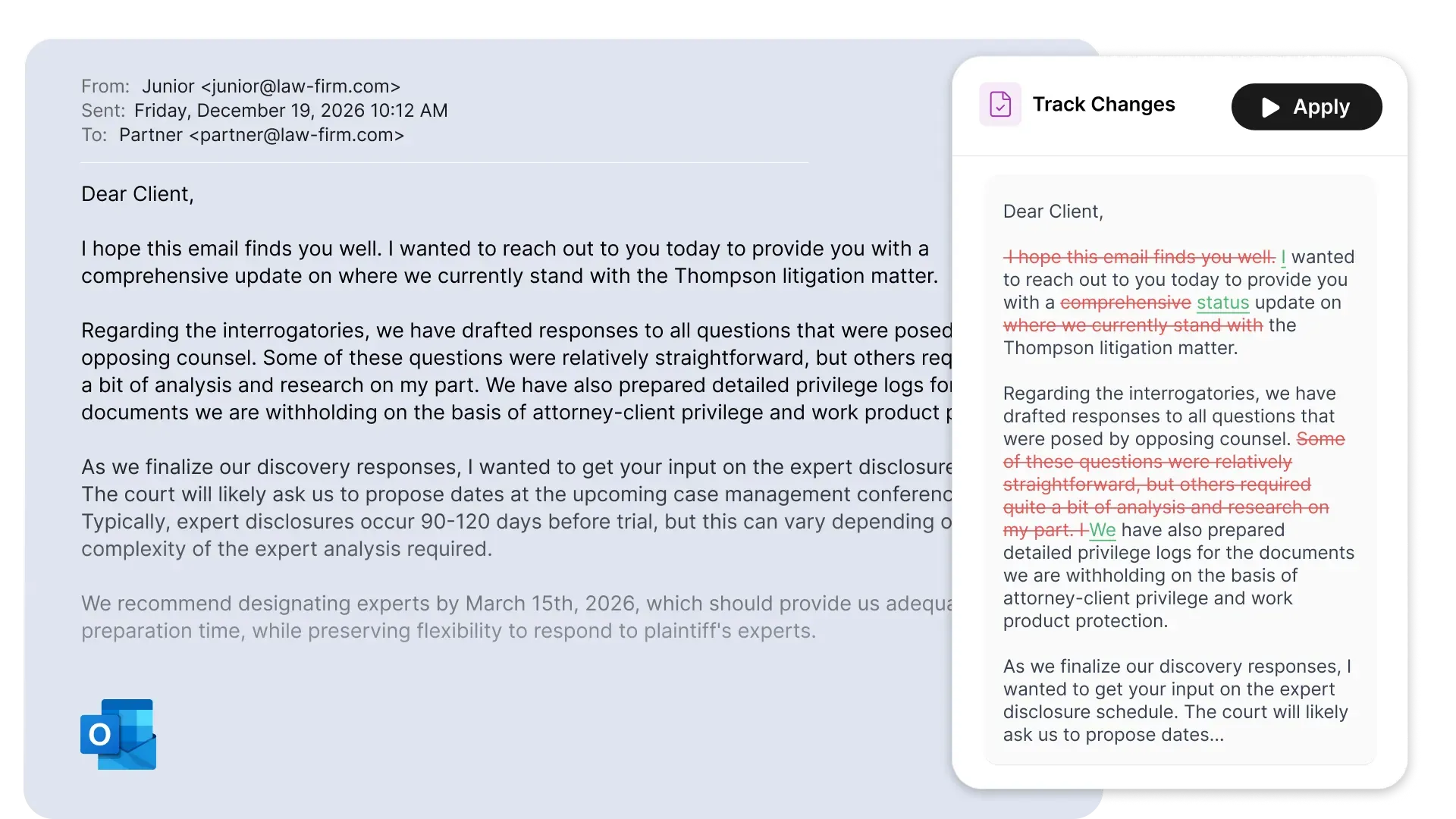
Sonar brings the missing Track Changes feature into Outlook. How it works:
- Junior lawyer sends a draft email for review.
- Senior lawyer hits "Reply," and edits the junior's email like a normal person. Say goodbye to strikethroughs, highlights, and all the clunky methods you may have developed over the years.
- When ready, they click on Sonar Track Changes button. This converts the email body to track changes, and senior sends the updated version to junior.
- Junior receives the email in track changes and can see clearly see what was modified, and learn from that.
- The junior clicks on the Accept Sonar Changes button. All changes are accepted, the email is clean to send to client.
Getting started
Sonar for Outlook is available in Microsoft Store for all our enterprise customers. If you already use Sonar for Word, you’ll feel at home immediately. Interested in bringing Sonar to your organization? Contact us or book a demo now!
Link to download Sonar for Outlook: https://marketplace.microsoft.com/product/saas/wa200009625